Pink Calendar Appointments

Simple Calendar App for Android

If you're looking for an simple calendar app, then PinkCal might be for you. A classic wall-calendar design for your phone with all the essential features you'll need.

Download on Google Play

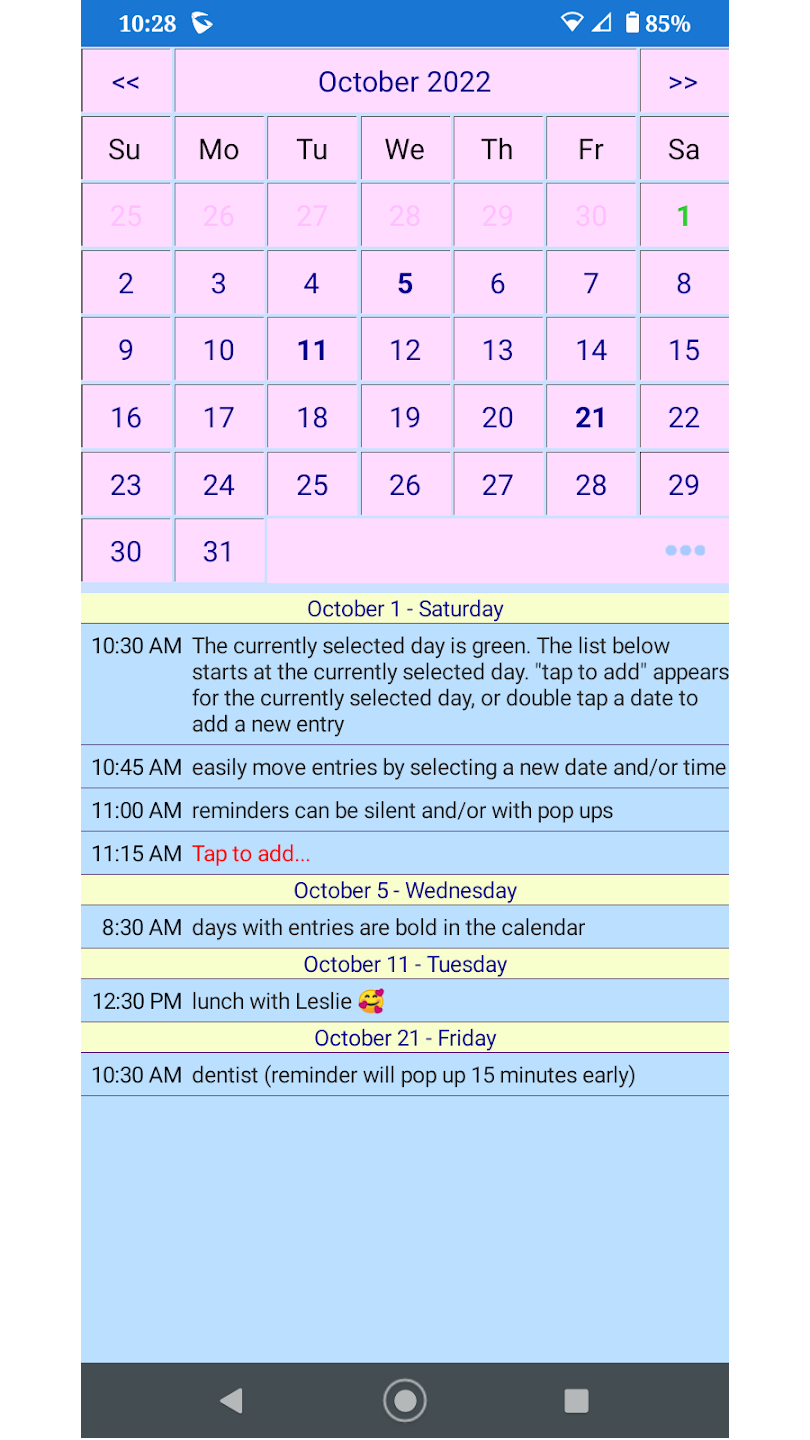
PinkCal Screenshot

Simple, intuitive, and designed for everyday use. Track your appointments, meetings, and reminders with ease.

Simple Interaction

Double tap a date to enter a new item. Single tap a date to view items starting at that date. Your selected date is shown in green.

Automatically Repeating Reminders

Powerful and easy to use support for repeating reminders, daily, weekly, by day of month, end of month, every other week, specific day of the month, etc.

Important Setup Information

Permissions Setup Required

Please note: Android will deny PinkCal permissions initially and the app will not work until permissions are granted. This is a standard Android security feature.

How to Enable Permissions:

  1. Go to Android Settings
  2. Navigate to Apps
  3. Find and select PinkCal
  4. Enable the required permissions as shown in the Google Play Store screenshots

Add Appointments

Double tap any date on the calendar to quickly add a new appointment, meeting, or reminder. It's that simple!

View Your Schedule

Single tap any date to view all items starting on that date. Items are conveniently listed under the calendar.

Classic Wall-Calendar Design

PinkCal brings the familiar feel of a traditional wall calendar to your Android device. Clean, minimal, and focused on what matters most - your appointments and schedule.

Clean Design

Minimal interface that focuses on functionality

Fast Performance

Lightweight app that won't slow down your device

Mobile Optimized

Designed specifically for Android devices

Ready to Simplify Your Schedule?

Download PinkCal today and experience the simplicity of a classic calendar app designed for modern Android devices.

Get PinkCal on Google Play

Free to download • Android 4.1 and up • Developed by Gerry's Apps