Fast, Fun, Easy & Free
The Calendar & Day Planner for Windows that brings a joy to your daily organization. Perfect for home or small business use.
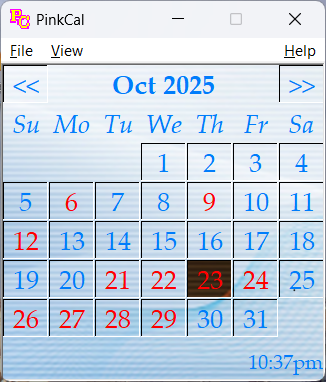
The Calendar & Day Planner for Windows that brings a joy to your daily organization. Perfect for home or small business use.
We built a new Flutter-based version of PinkCal. It can automatically import your appointments from the classic version.
PinkCal isn't bloated with enterprise complexity. It's built for speed, simplicity, and the features that matter most for your daily life.
"I needed something that was fast and didn't require a constant internet connection to see my schedule. PinkCal just works."
Take PinkCal wherever you are. Our Android app keeps your schedule in your pocket.
PinkCal for Android
Supporting Gerry's Apps allows us to keep PinkCal free. Check out OwlAI for a premium AI assistant experience.